Monitoring and Alerting Basics: Your App's Smoke Alarm
At 2:10 am the payment page of a small online bakery starts failing. Nobody notices. At 8 am the owner wakes up to angry emails and an empty order book: six hours of lost sales, because nothing told anyone. Monitoring and alerting exist to close that gap. One part watches your app all the time; the other wakes the right person when it matters. This lesson explains both, and what makes an alert worth waking up for.
Monitoring watches, alerting speaks
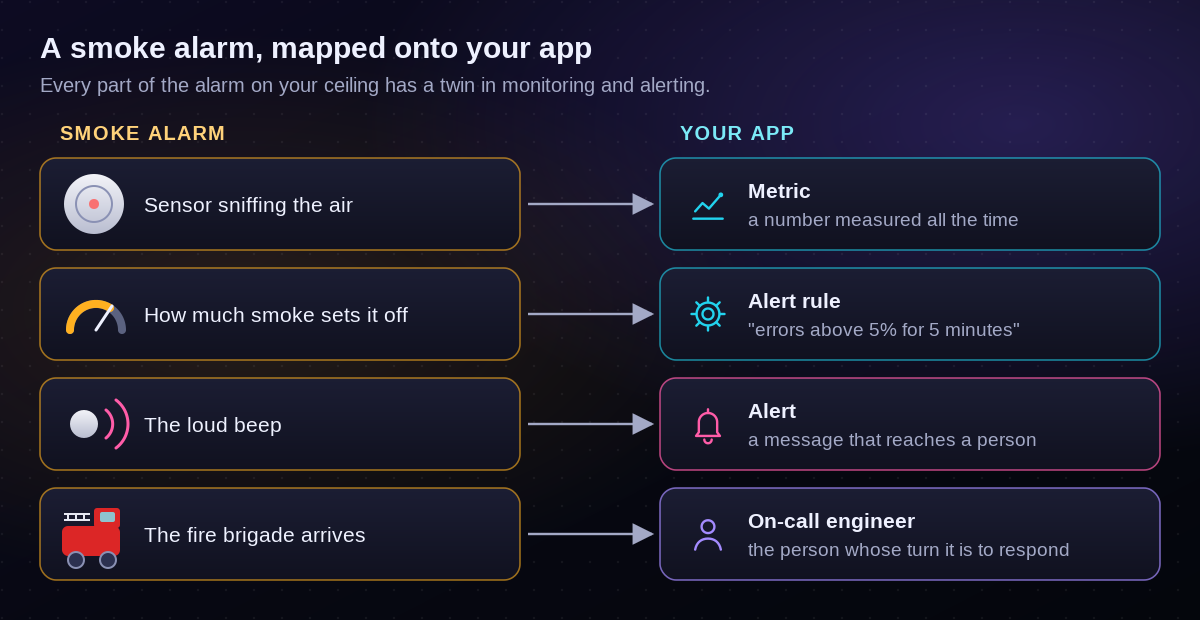
Monitoring means collecting measurements about your app over time and looking at them. A measurement might be how many requests arrive each second, what share of them fail, or how full the disk is. Collected again and again, these numbers show what normal looks like, so you can spot when something drifts away from it. A measured number like this is called a metric.
Alerting is the step that turns a bad measurement into a message to a person. It starts with an alert rule, a condition written in advance, such as "more than 5% of checkout requests failed". When the condition becomes true, the system sends an alert. The person who receives it is the on-call engineer: whoever's turn it is, this week, to respond.
Three kinds of checks
Monitoring answers three questions, from the simplest to the most useful. Is it up? A probe, like the uptime checker from the uptime lesson, sends a request from outside and checks that an answer comes back.
Is it healthy? Here you measure the insides: how busy the processors are, how much memory and disk is used, how many requests fail and how long they take. A service can answer every probe while its disk is 98% full and its error count is climbing.
Is it correct? A synthetic check is a script that acts like a real user, for example: open the shop, add a cake to the basket, and pay with a test card. If any step fails, the journey is broken even though every server looks fine. This is the check that would have saved the bakery.
From a bad number to a person
An alert rule usually includes a duration. "Error rate above 5%" on its own would fire on a single unlucky second. "Above 5% for 5 minutes" fires only when a problem is real and lasting, while still catching it quickly.
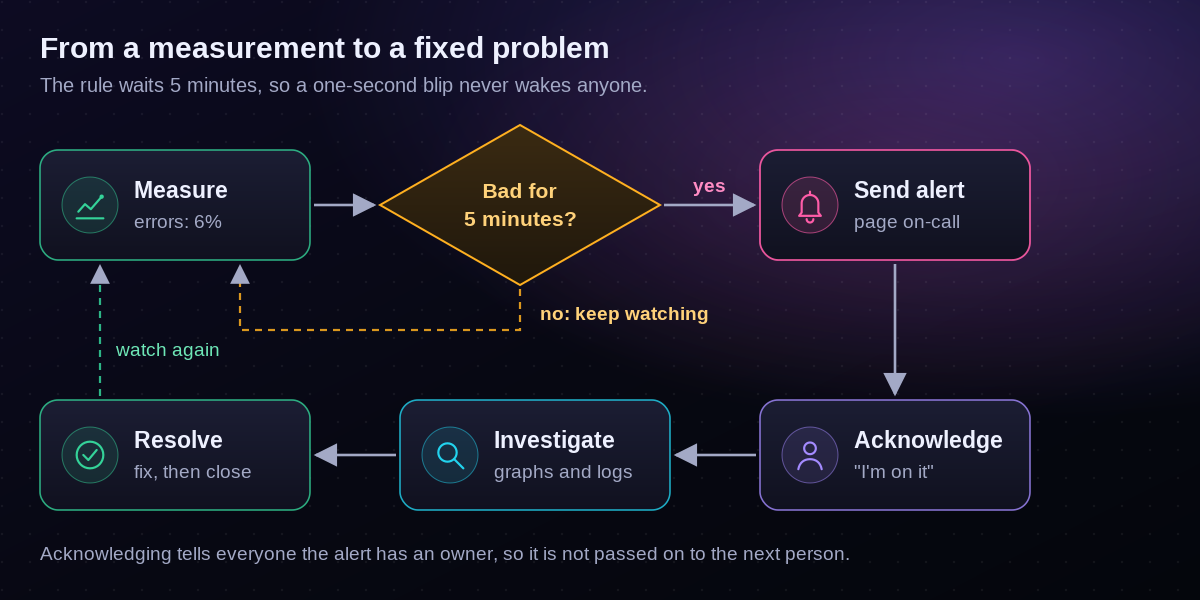
When an alert fires, the on-call engineer acknowledges it, which tells the system and the team "I've got this" and stops the alert from being passed on to the next person in line. Then they investigate, fix or work around the problem, and mark the alert resolved.
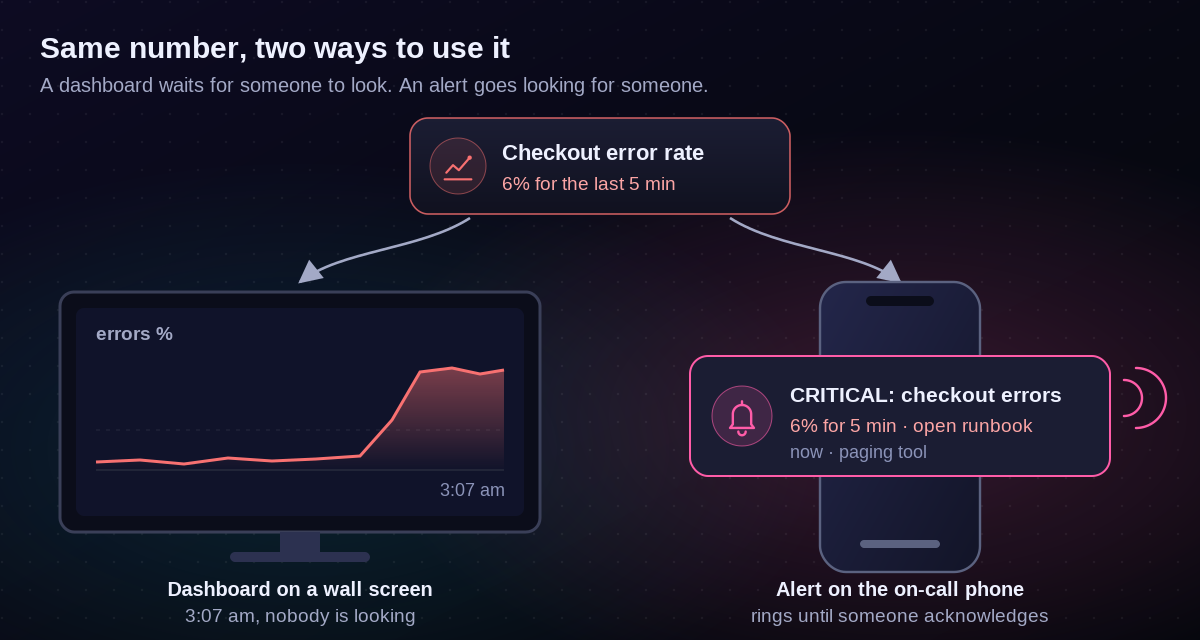
Not every problem deserves the same noise, so alerts carry a severity level. A critical alert, such as checkout failing for everyone, pages someone: a paging tool sends a phone notification or call loud enough to wake them. A warning, such as a disk that will be full in four days, goes to a team chat channel or becomes a ticket for working hours. Email suits daily summaries, not emergencies, because nobody reads email at 3 am.
What makes an alert good
A good alert passes three tests. First, it is about something users feel: failed payments, slow pages, error messages. A server's processor running at 90% may be harmless, while customers who cannot pay never are.
Second, someone can act on it. If the right response is "wait and see", the alert should not wake anyone. Third, it says where to start: which service, what the numbers are, and a link to the right dashboard (a screen of graphs) or runbook (a short written guide for handling that alert).
Alerts that fail these tests teach people to ignore alerts. This is called alert fatigue: after the tenth false alarm in a week, the eleventh, real one gets snoozed. Like the smoke alarm with its battery pulled out, a noisy setup is worse than it looks, because it hides the one alarm that matters.
Monitoring and observability
You will often hear the word observability next to monitoring. Monitoring checks for problems you predicted, using rules and graphs you set up in advance. Observability is how well you can ask new questions about your system and get answers, including about problems nobody predicted, by exploring the data it produces. That data comes in four kinds, called signals: metrics, logs, traces and profiles. The next lesson explains each one.
Check yourself
What is the difference between monitoring and alerting?
Monitoring collects and shows measurements over time, while alerting is the rule that turns a bad measurement into a message to a person.
Your probe says the site is up, but customers cannot finish paying. Which kind of check would have caught it?
A synthetic check of the checkout journey, because it tests whether the site does the right thing, not only whether it answers.
Why add "for 5 minutes" to an alert rule?
So a brief blip does not wake anyone: the alert fires only for problems that last.
Go deeper
- Observability vs Monitoring: Understanding the Difference: a longer look at how the two ideas differ and why teams need both.