The Toil Audit: What SRE Work to Automate First
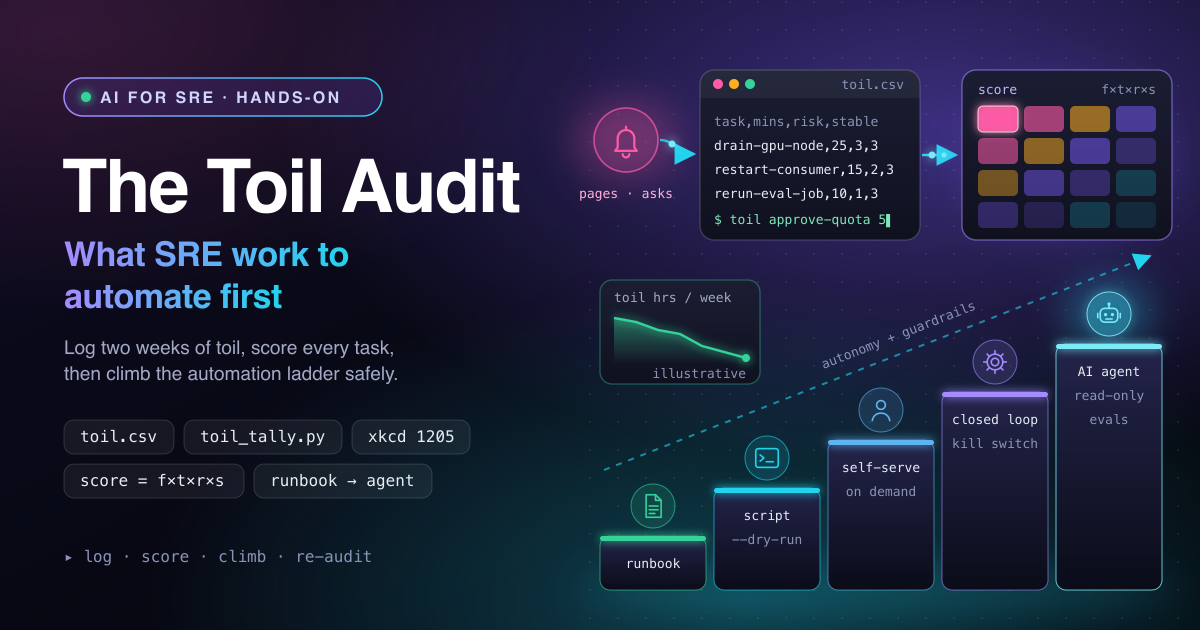
Most SRE teams know they have too much toil, but few can say which piece to kill first. A toil audit settles that with data instead of opinion. In this guide you will log toil for two weeks, score every task with a 20-line Python script, and use a simple decision flow to pick the right level of automation, from a runbook up to an AI agent.
How a toil audit works
Google's SRE book defines toil as work that is manual, repetitive, automatable, tactical, devoid of enduring value, and that scales linearly as a service grows. Restarting the same stuck consumer for the fifth time this week is toil. Fixing the bug that makes it stick is engineering. The book sets a goal of keeping toil below 50% of each SRE's time.
Because toil grows with traffic, it belongs in capacity planning next to CPU and storage. The diagram below shows the audit as a data flow: pages, Slack asks and tickets create toil, engineers log it, a script scores it, and the team picks an automation level.
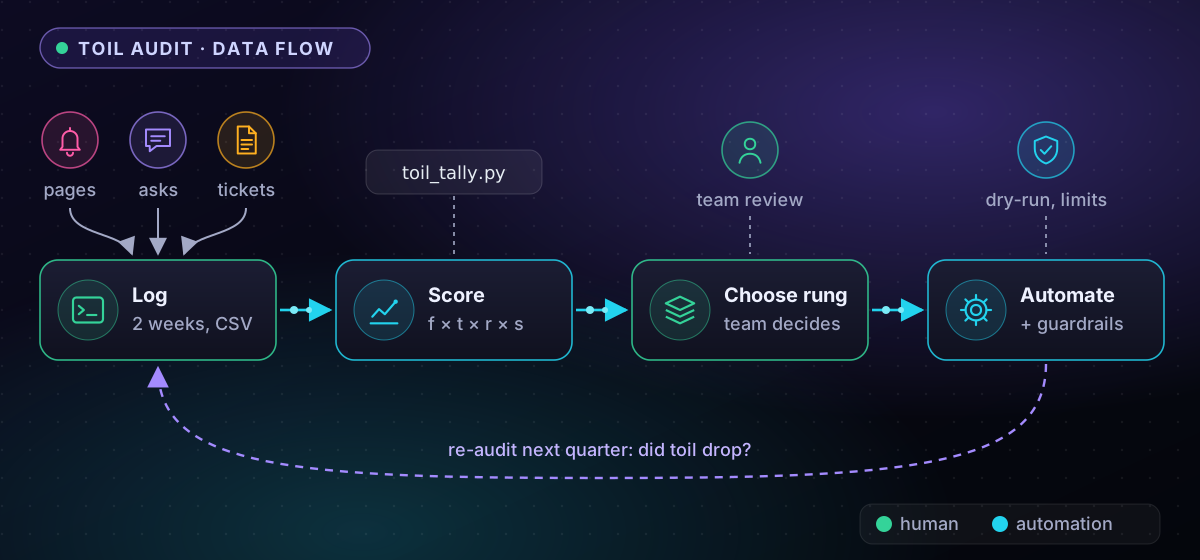
Green stages are human work and cyan stages are automated. The dashed loop matters most: a second audit a quarter later proves the automation removed toil instead of moving it. You need a shell, Python 3 and two weeks of discipline.
Step 1: Log toil for two weeks
Memory is a poor measuring tool. Engineers remember the 2 a.m. page and forget the twenty quota approvals that ate their Tuesday. Two weeks of logging captures both and usually covers a full on-call rotation. Keep the schema tiny: if an entry takes more than ten seconds, nobody fills it in.
# One-time: create the log with its header row
echo "date,engineer,task,minutes,trigger,risk,stable" > ~/toil.csv

# Append one row per toil event: task, minutes, trigger, risk (1-3), stable (1-3)
toil() { echo "$(date +%F),$USER,$1,$2,$3,$4,$5" >> ~/toil.csv; }

toil restart-stuck-consumer 15 alert 2 3
toil rerun-failed-eval-job 10 slack 1 3
Put the toil function in your ~/.bashrc or ~/.zshrc. Its five arguments fill the last five columns, and date +%F prints YYYY-MM-DD on Linux and macOS. After the two calls, tail -1 ~/toil.csv shows a row like 2026-11-16,asha,rerun-failed-eval-job,10,slack,1,3. Agree on what the two scores mean before day one:
- risk: 1 if a mistake is harmless, 2 if users would notice, 3 if a missed step can cause an outage or data loss.
- stable: 3 if the steps are identical every time, 2 for small variations, 1 if you improvise.
The classic failure is inconsistent names: restart-consumer and restart-stuck-consumer become two rows in the tally. Fix names in the daily stand-up, and keep a team log in a shared Git repository.
Step 2: Score frequency × time × risk × stability
Raw minutes mislead. A task that eats an hour a week but changes every time is a poor automation target, while a fifteen-minute task that can cause an outage deserves attention sooner. The score multiplies total minutes (frequency × time) by the risk of a manual mistake and by how stable the steps are.
#!/usr/bin/env python3
"""Tally a toil log: one CSV row per occurrence -> one ranked row per task."""
import csv
import sys
from collections import defaultdict

runs = defaultdict(list)
with open(sys.argv[1], newline="") as f:
    for row in csv.DictReader(f):
        runs[row["task"]].append(row)

ranked = []
for task, rows in runs.items():
    minutes = sum(int(r["minutes"]) for r in rows)   # frequency x time
    risk = max(int(r["risk"]) for r in rows)          # worst case seen, 1-3
    stable = min(int(r["stable"]) for r in rows)      # least stable run, 1-3
    ranked.append((minutes * risk * stable, task, len(rows), minutes, risk, stable))

print(f"{'score':>6}  {'task':<24}{'runs':>5}{'mins':>6}  risk  stable")
for score, task, n, minutes, risk, stable in sorted(ranked, reverse=True):
    print(f"{score:>6}  {task:<24}{n:>5}{minutes:>6}  {risk:>4}  {stable:>6}")
Save it as toil_tally.py and run python3 toil_tally.py ~/toil.csv. csv.DictReader reads the header, so column order does not matter. The script keeps the worst risk and the least stable rating per task, so one scary run is never averaged away. Here is the output for an illustrative two-week log from a team running an inference platform:
 score  task                     runs  mins  risk  stable
  1485  drain-gpu-node              6   165     3       3
  1176  restart-stuck-consumer     14   196     2       3
   510  rotate-tls-cert             2    85     3       2
   360  debug-flaky-deploy          4   180     2       1
   330  rerun-failed-eval-job      11   110     1       3
   243  approve-quota-request      18    81     1       3
A KeyError: 'task' means the header row is missing, and a ValueError means someone typed 15m instead of 15. The matrix below shows the same data as a heat map, which is easier to discuss as a team.
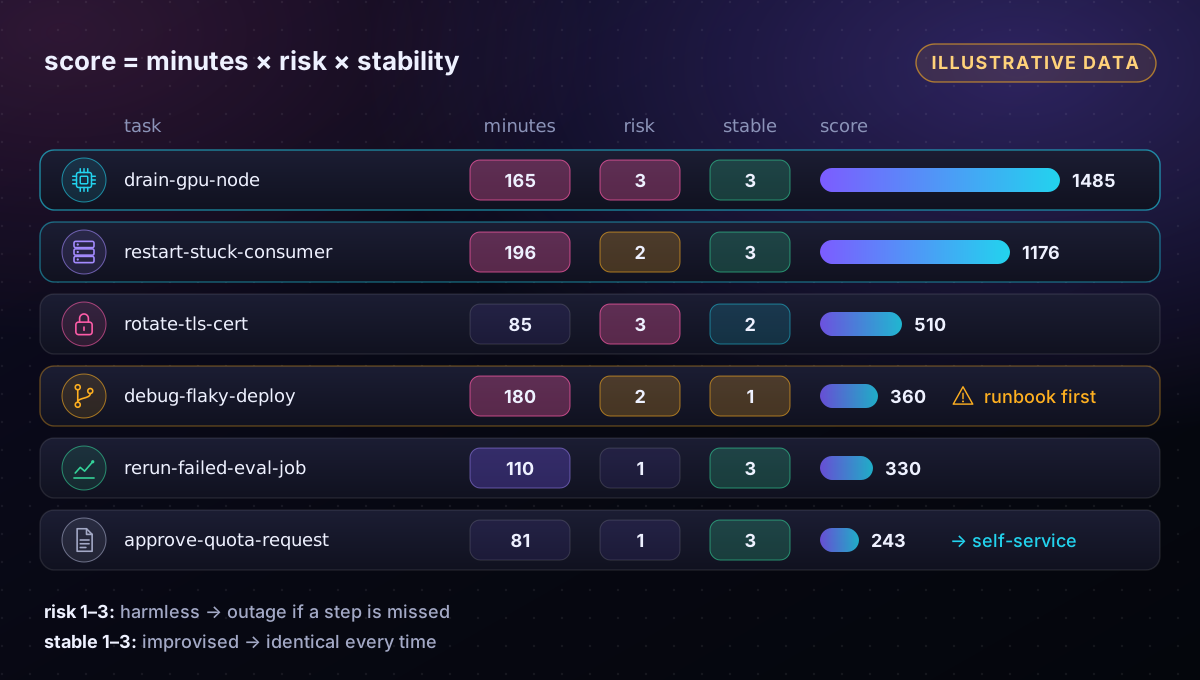
Draining GPU nodes wins: it is frequent, stable and costly to get wrong, because draining a node under a running training job throws away expensive GPU hours. Quota approvals happen most often but score lowest, which points to self-service. Flaky-deploy debugging takes the longest per run, but its stability of 1 drags it down: it needs a runbook first.
Step 3: Pick a rung on the automation ladder
Automation is not one jump from manual to autonomous. It is a ladder, and each rung adds autonomy plus the guardrails that autonomy needs:
- Runbook: written steps a human follows.
- Script: the runbook as code, run by a human, with a dry-run mode.
- Self-service: the script behind a chat command or pipeline, run by the requester.
- Closed loop: an alert webhook or controller runs the fix unattended, behind rate limits and a kill switch.
- AI agent: an LLM agent for toil that needs judgement on messy input, such as first-pass incident triage.
The flowchart shows how to choose. Two questions decide most tasks: are the steps stable, and is automating them worth it?
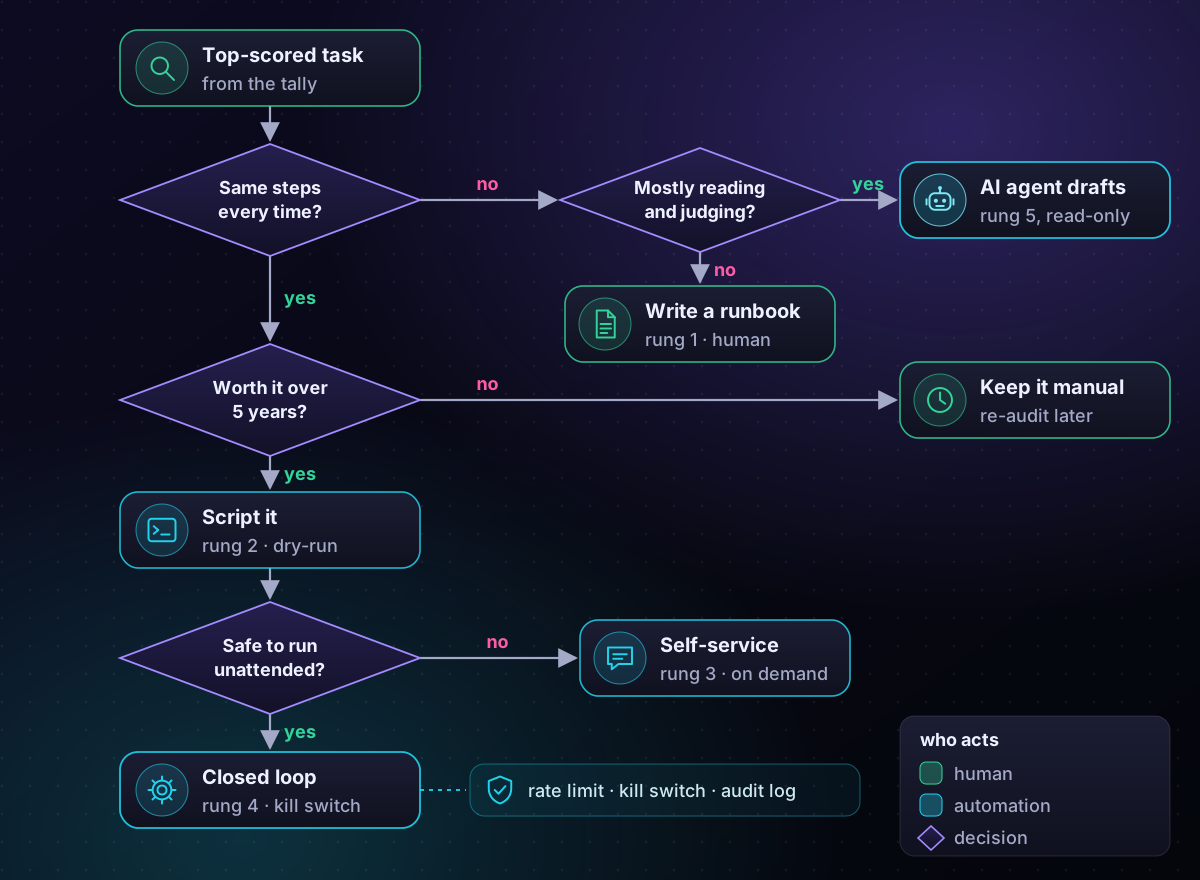
Stable tasks follow the left spine: script first, then a closed loop once the action is safe unattended. For drain-gpu-node, that means a month of scripted runs, then a loop that drains one node at a time. When I guard-railed automated upgrades for a 2000+ machine fleet, host draining and limits on concurrent changes made it safe.
The right branch is where AI earns its place. When steps vary but the work is mostly reading and judging, a script cannot cope and an agent can. I built a Slack bot like this: it investigates incidents using documentation search, metric plugins and log APIs, then posts findings for the on-call engineer to verify, like the triage loop in a day in the life of an AI-augmented SRE.
Run the agent like any production service. Version its prompts and model, replay past incidents as evals before each change, and set a token budget and latency SLO so cost per investigation stays predictable. Keep it read-only until the evals justify more.
When automation is not worth it
xkcd 1205 asks how long you can spend automating a routine task before you lose time overall, across five years. The arithmetic is time saved per run × runs per year × 5. Shaving five minutes off a daily task saves about 150 hours.
Production changes the sum. Automation also needs tests, review, monitoring and upkeep, and broken automation fails faster and wider than a tired human. Budget at least as much again for that as for the first version. Applied to the illustrative log (two-week minutes × 26):
| Task | Hours saved / year | 5-year budget | Verdict |
|---|---|---|---|
| drain-gpu-node | 72 | 358 h | Build: script, then closed loop |
| restart-stuck-consumer | 85 | 425 h | Fix the bug first |
| rotate-tls-cert | 37 | 184 h | Buy: use cert-manager |
| approve-quota-request | 35 | 176 h | Self-service with limits |
Delay automation when the task is about to disappear, the steps are still changing, or the real fix is upstream. A consumer that sticks fourteen times in two weeks needs a bug fix, not a faster restart. Auto-restarting it would hide a signal from your on-call rotation.
Common pitfalls
- Auditing from memory. Retro estimates overweight dramatic pages. Log real data.
- Automating an unstable procedure. You encode today's workaround. Write the runbook first.
- No dry run or kill switch. A closed loop without a rate limit can drain every node in minutes.
- Giving an agent write access on day one. Start read-only and widen access as evals pass.
- Never re-auditing. New toil creeps in. Post-mortems are a good source of fresh candidates.
Key takeaways
- A toil audit replaces opinion with two weeks of data in a seven-column CSV.
- Score tasks by total minutes × risk × stability, keeping the worst-case risk.
- Climb one rung at a time, and reserve AI agents for variable, judgement-heavy toil.
- Check the five-year break-even, then add the production cost of tests and upkeep.
Related articles
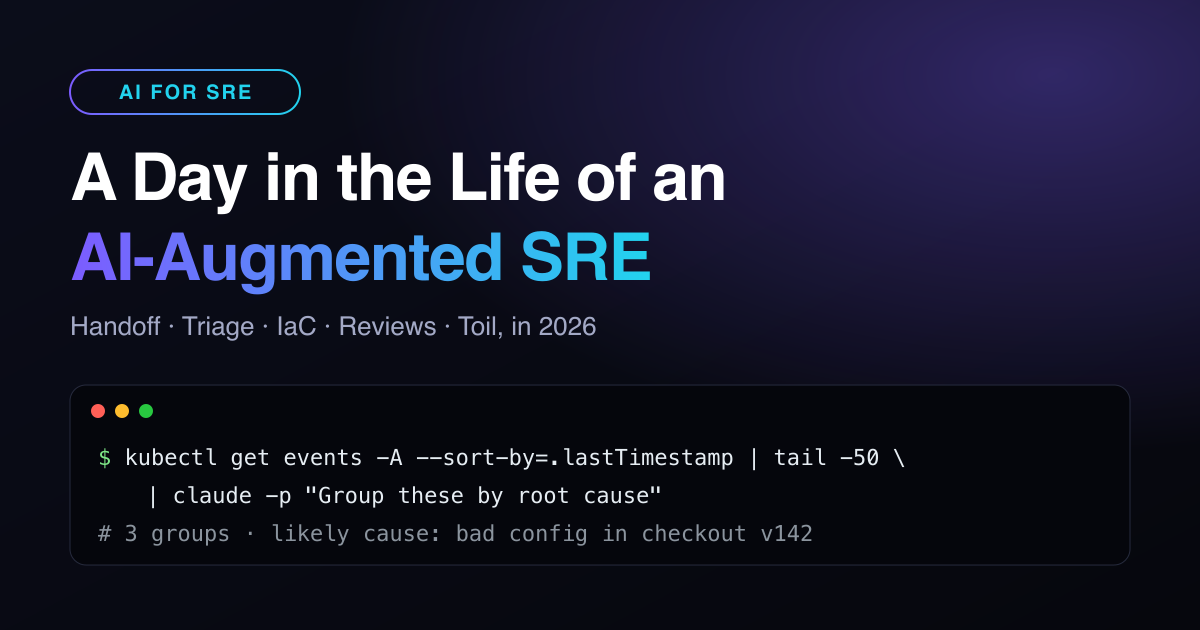
A Day in the Life of an AI-Augmented SRE (2026)
What actually changes when SREs work with AI every day: handoffs, triage, Terraform changes and reviews, block by block, with the commands that do the heavy lifting.
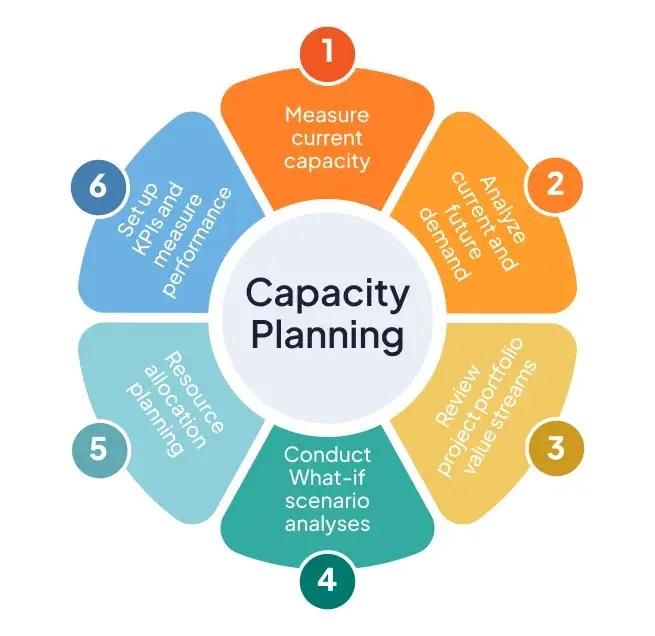
Capacity Planning in the Cloud Era
In the dynamic landscape of cloud computing, managing infrastructure effectively is less about static provisioning and more about intelligent, adaptive resource orchestration. Capacity planning, once a periodic, often te
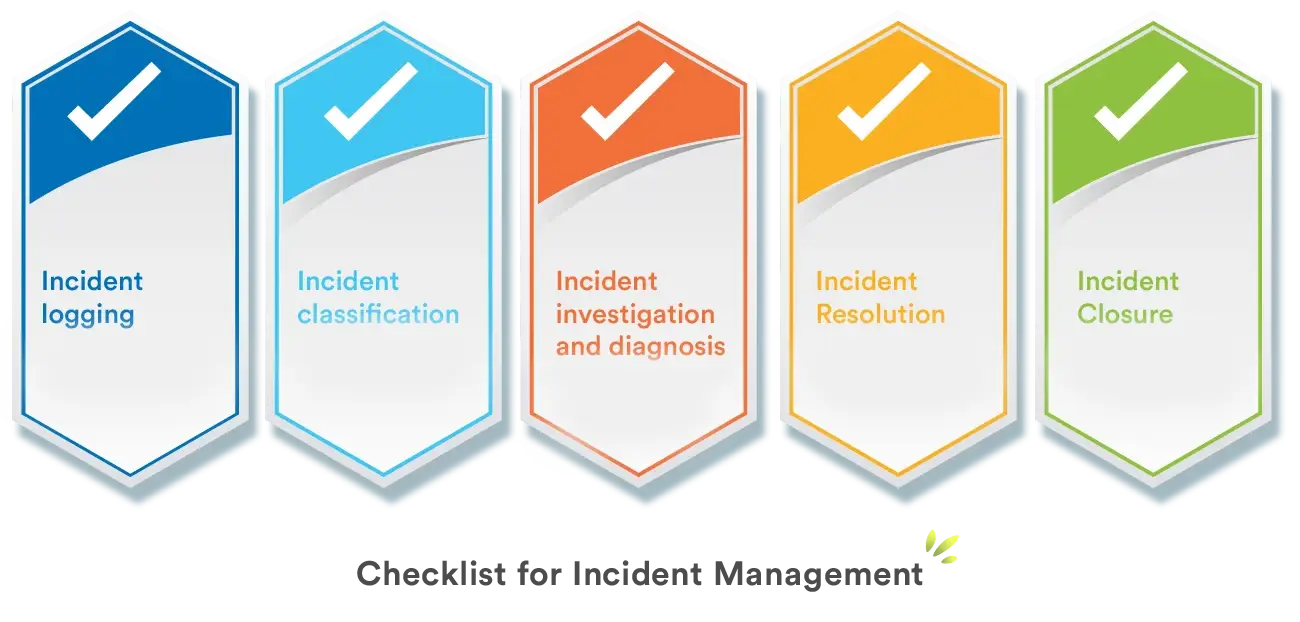
Incident Management: Post-Mortem Culture That Works
The world of complex distributed systems is inherently unpredictable. Despite our best efforts in design, testing, and deployment, incidents are not a question of “if,” but “when.” For Site Reliability Engineers, Softwar